
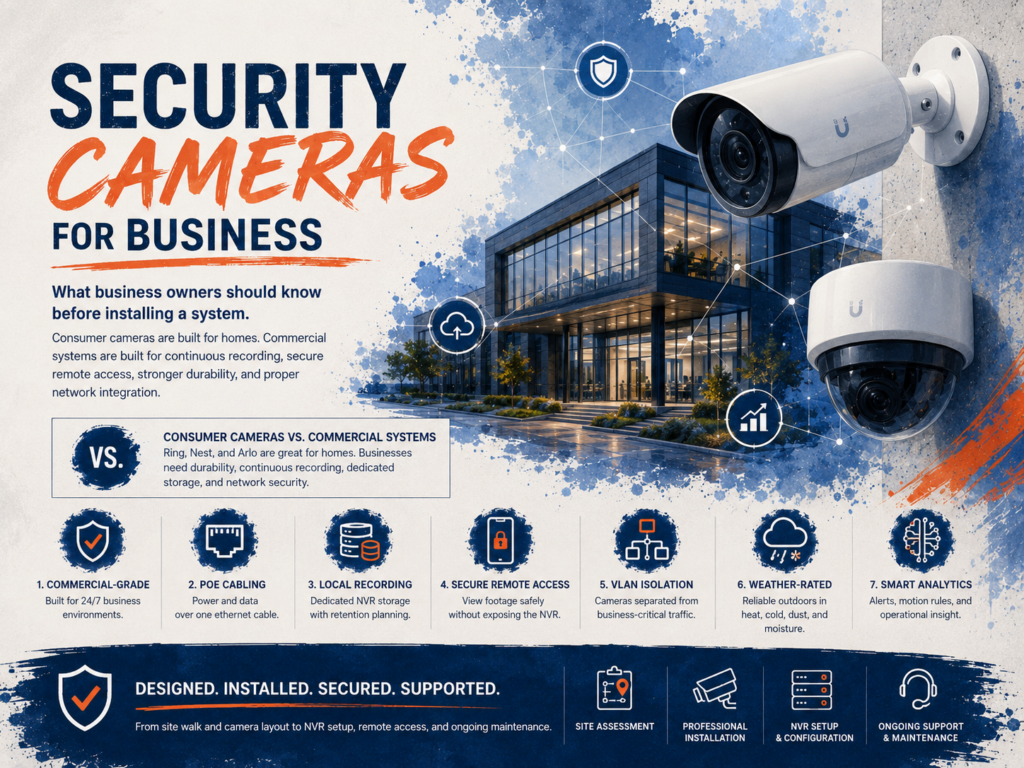
Installing security cameras at your business seems straightforward until you realize the consumer systems from the big-box store weren’t built for what you actually need. If you’re a business owner in Western New York evaluating security camera installation, this guide covers what matters, what doesn’t, and the mistakes we see most often.
Consumer cameras vs commercial systems
Ring, Nest, and Arlo make excellent products for homes. They are not commercial-grade security solutions. The differences are not subtle. Consumer cameras store footage on cloud plans that can be subpoenaed but not easily managed by your organization. They rely on your home WiFi, which means they compete for bandwidth with every other device on the network. They lack the resolution, durability, and analytics that commercial environments require. And they are not designed for 24/7 continuous recording in environments with temperature extremes, dust, or moisture.
Commercial camera systems like the 3xLogic platform we deploy are built for business operations. They record continuously to dedicated local storage with optional cloud backup. They support PoE power, which means a single ethernet cable provides both network connectivity and power. They include weather-rated housings for outdoor installation. And their video analytics can detect motion patterns, count people, and trigger alerts based on configurable rules, not just motion detection.
What to consider before choosing a system
Resolution matters, but not the way marketing would have you believe. A 4K camera sounds impressive, but if it’s pointed at a 200-foot parking lot at night, resolution is less important than the quality of the image sensor and infrared illumination. We spec cameras based on the use case: high-resolution for entry points where facial identification matters, wider-angle lower-resolution for broad coverage areas, and specialized low-light or IR cameras for outdoor and nighttime applications.
Storage is the cost most businesses underestimate. A single 4K camera recording continuously generates roughly 30 to 40 GB of data per day. A 16-camera system produces over half a terabyte daily. Your storage plan needs to account for your retention requirements, which may be 30, 60, or 90 days depending on your industry and insurance requirements. We size NVR storage based on camera count, resolution, recording schedule, and the retention period your business requires.
Remote access is no longer optional. Business owners and managers expect to view camera feeds from their phone, whether they’re at home, traveling, or at a second location. 3xLogic provides secure remote viewing through their cloud platform without exposing your NVR directly to the internet, which is a critical security consideration.
Network security for camera systems
This is the point most camera installers miss entirely and the reason we handle security camera projects as part of our IT services rather than as a standalone installation.
IP cameras are networked devices. Every camera on your network is a potential entry point for an attacker. IP cameras have been used as initial access points in major breaches because they often run outdated firmware, use default credentials, and sit on the same network segment as business-critical systems.
Every camera system we install goes on a dedicated VLAN, isolated from business traffic. The cameras can reach their NVR and the internet for remote viewing, but they cannot see or communicate with your workstations, servers, or payment systems. This is a fundamental security requirement that a typical security camera installer does not address because they are not network engineers.
The 3xLogic platform
We chose 3xLogic as our commercial camera platform for several reasons. Their hardware is designed for commercial deployment with proper thermal management, vandal-resistant housings, and a product line that covers every use case from indoor offices to outdoor loading docks. Their VIGIL server platform provides centralized management for multi-site deployments. Their cloud services enable remote viewing without port forwarding or VPN configuration. And their integration with access control systems means we can tie camera footage to door events, creating a unified physical security picture.
What a typical Acme camera installation covers
We start with a site walk. We identify the areas that need coverage, the lighting conditions at different times of day, and the physical mounting challenges. We design the camera layout, specify the right camera model for each location, calculate the storage requirements, and plan the network integration including VLAN configuration and bandwidth allocation.
Installation includes mounting, cabling, NVR setup, camera configuration, network integration, and remote access setup. After installation, we configure recording schedules, motion detection zones, and alert rules. We then train your team on how to access footage, export clips, and manage the system day to day.
Every camera system we install is maintained as part of the ongoing IT relationship. Firmware updates, storage monitoring, and camera health checks are included. If a camera fails or a hard drive in the NVR starts degrading, we know about it before you lose footage.
Need security cameras for your business? We’ll design a system that actually works. Call (716) 372-1325 or visit acmebusiness.com/contact.

